

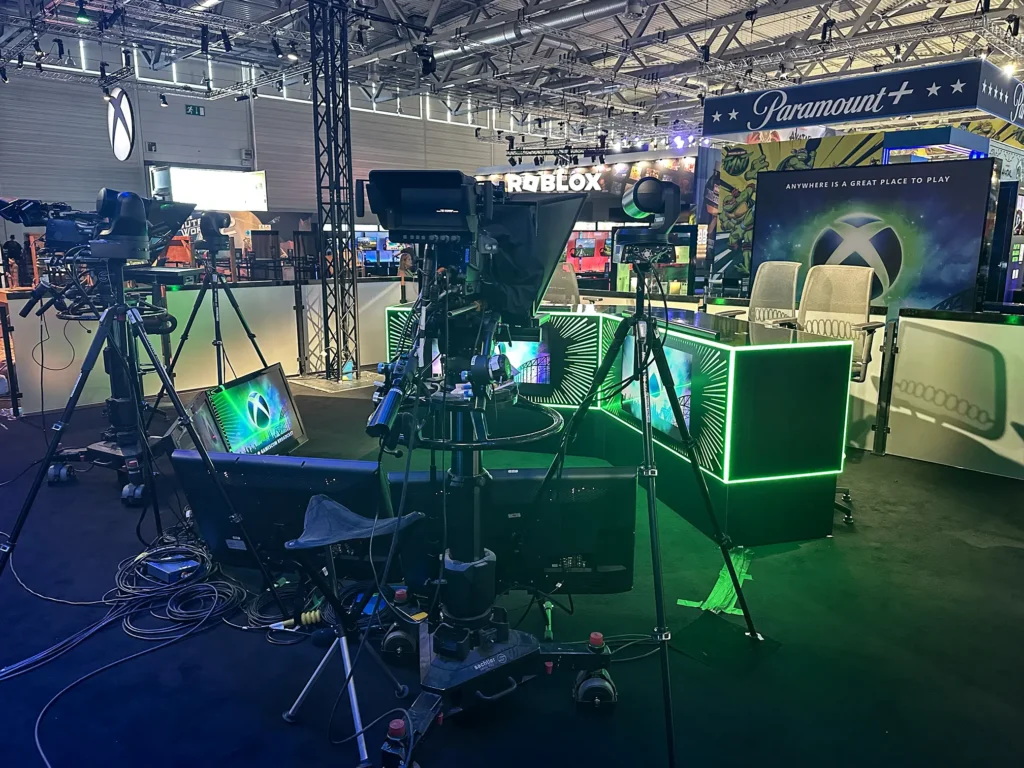
A confidence monitor and a teleprompter can both sit in front of a speaker and display information.
But, that is about where the similarity ends.
A confidence monitor usually helps a presenter see what is happening in the presentation. A teleprompter just gives them specific words.
Knowing the difference matters because putting speaker notes on a monitor and calling it a teleprompter is not really the same deal.
So if you are deciding between a confidence monitor vs. teleprompter for an event, start with one question:
What does the speaker actually need help remembering?
A confidence monitor helps the speaker follow the presentation
A confidence monitor is usually a screen placed near the front of the stage where the presenter can see it without turning around to look at the main event screens.
Depending on the setup, it might show:
- The current slide
- The next slide
- Speaker notes
- A countdown timer
- A combination of several views
For a presenter moving through a PowerPoint deck, this is usually very useful.
They can glance down and confirm what the audience is seeing without turning their back to the room.
If the next slide is visible too, they also know what is coming before they advance.
That small preview can make a presentation feel much more natural by building confidence inside the speaker.
MeyerPro has a separate guide to what a confidence monitor is and how presenters use one.
A teleprompter is built around the words
A teleprompter solves a different problem.
Instead of helping the presenter follow the presentation, it gives them the actual script. Word for word.
The text scrolls as the speaker talks, allowing them to deliver prepared remarks while still looking toward the audience or camera.
You see this constantly in television.
At live corporate events, teleprompters are often used for executive remarks, awards shows, high-profile announcements, scripted openings, or other moments where the wording matters.
Sometimes the script needs to be delivered almost exactly as written.
That is where a teleprompter earns its keep.
If you are planning scripted executive remarks, our teleprompter best practices guide covers script formatting, rehearsal, and pacing in more detail.
Why not just put the script on a confidence monitor?
You can. It will work.
That does not necessarily mean you should.
A confidence monitor is usually positioned low, near the front of the stage. If a speaker spends ten minutes reading every word from it, the audience may spend ten minutes watching them stare at the floor.
A teleprompter can place the words much closer to the speaker’s natural eyeline.
That difference becomes especially noticeable on camera.
If the presenter is being recorded or livestreamed, repeatedly looking down at a stage monitor can make the delivery feel disconnected.
For a few reminders or short notes, a confidence monitor may be fine.
For a full prepared script, a teleprompter is usually the better tool.
The difference becomes obvious when someone goes off script
Imagine an executive has a carefully written five-minute speech.
With a teleprompter, the operator follows their pace as they speak.
Then the executive decides to tell a story that is not in the script.
The prompter operator has to stop, follow along, and be ready to find the correct place when the speaker returns to the prepared remarks.
That is a live skill.
A confidence monitor does not usually require that level of active tracking. The presenter might simply see the current slide, next slide, or a timer regardless of exactly what they are saying.
Both systems support the speaker, they just do it in different ways.
Some presenters need both
This is where the choice stops being either/or.
A keynote speaker may use a teleprompter for scripted opening remarks while also needing a confidence monitor for presentation slides.
One screen helps with the words.
The other helps with the visuals.
An executive might begin with a scripted announcement, move into a slide presentation, then finish with another prepared statement.
In that situation, having both systems can make perfect sense.
The important part is deciding how the presenter will actually use them before rehearsal.
Otherwise, the stage can slowly accumulate screens nobody is quite sure who requested.
Moderators and panelists usually need something different
A panel moderator probably does not need a scrolling script.
They may care much more about timing.
A confidence monitor could show how much time remains in the session, a list of upcoming questions, or information about which segment comes next.
Panelists might not need any monitor at all.
Similarly, someone introducing an award may only have thirty seconds of prepared remarks. Whether that justifies a teleprompter really depends on the speaker and how exact the language needs to be.
There is no rule that every presenter gets the same setup.
The technology should follow the job.
Where do confidence monitors go?
Most confidence monitors are placed near the front edge of the stage and angled upward toward the presenter.
That placement keeps them visible to the speaker while staying relatively unobtrusive for the audience.
You may also hear them called downstage monitors or DSMs.
Placement matters because the speaker has to be able to read them from wherever they naturally stand.
A monitor filled with tiny notes is not particularly useful if the presenter is six feet away.
Stage size, speaker movement, scenic design, camera angles, and sightlines can all affect where the monitors make sense.
Where does a teleprompter go?
Teleprompters can be positioned in several different ways depending on the show.
For a live audience, you may see transparent teleprompter glass positioned near the stage so the speaker can look toward the room while reading.
Camera-based setups can place the text directly in front of the lens, allowing the presenter to read while appearing to look straight into the camera.
Large venues may use more than one position so a presenter can naturally look toward different parts of the audience.
The goal is not simply to make the words visible.
The goal is to put them somewhere that supports a believable delivery.
Rehearsal is where you find out if the plan works
A speaker may say they want notes on a confidence monitor and then discover during rehearsal that the text is too small.
Someone else may think they want a teleprompter but realize they sound much better speaking from a few bullet points.
That is useful information.
Rehearsal gives the presenter a chance to stand in the actual position, see the monitors, try the script, check the font size, and understand how everything will move during the show.
It also gives the operator a chance to learn the presenter.
Some people speak exactly as rehearsed.
Others treat the script as more of a suggestion.
Knowing which type of speaker you have before doors open is helpful.
It also helps to confirm these needs with each presenter before show day.
Confidence monitor or teleprompter?
The easiest way to decide is to think about what the speaker needs.
If they need to know what slide is on screen, what comes next, or how much time remains, start with a confidence monitor.
If they need to deliver specific prepared wording while maintaining eye contact, look at a teleprompter.
If they need both, use both. They can always bounce back and forth between the two.
And if they know the material cold and do not want anything in front of them, that is an option as well.
The goal is not to put more screens onstage just to put screens onstage.
It is to give the presenter exactly enough information to feel prepared without distracting them from the people in the room.
Planning an event with keynote speakers or executive presenters?
MeyerPro supports corporate events with confidence monitors, teleprompters, presentation playback, speaker support, audio, video, cameras, and live event production in Seattle, Portland, and beyond.